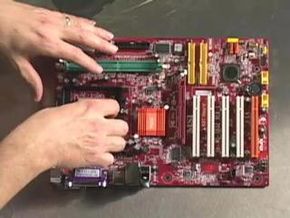
Have you ever thought about building your own computer? Actually buying a motherboard and a case along with all the supporting components and assembling the whole thing yourself?
Here are three reasons why you might want to consider taking the plunge:
Advertisement
- You'll be able to create a custom machine that exactly matches your needs.
- It will be much easier to upgrade your machine in the future because you'll understand it completely.
- You may be able to save some money.
And, if you've never done it before, you'll definitely learn a lot about computers.
In this article, we'll take you through the entire process of building a computer. You'll learn how to choose the parts you'll use, how to buy them and how to put them all together. When you're done, you'll have exactly the machine that you need.
The first step in building a computer is deciding what type of machine you want to build. Do you want a really inexpensive computer for the kids to use? A small, quiet machine to use as a media computer in the living room? A high-end gaming computer? Or maybe you need a powerful machine with a lot of disk space for video editing. The possibilities are endless, and the type of machine you want to build will control many of the decisions you make down the line. Therefore, it's important to know exactly what you want the machine to accomplish from the start.
Let's imagine that you want to build a powerful video-editing computer. You want it to have a quad-core CPU, lots of RAM and at least 2 terabytes of disk space. You also want to have FireWire and USB 3.0 ports on the motherboard. Look for a motherboard that supports:
- Quad-core CPUs (either Intel or AMD)
- At least 8GB of high-speed RAM
- Four (or more) SATA hard drives
- FireWire connections (possibly in both the front and back of the case)
- USB 3.0 ports
Then it all needs to go in a case with enough space to hold multiple hard disks and enough air -flow to keep everything cool.
With any computer you build, knowing the type of machine you want to create can really help with decision-making.
Advertisement