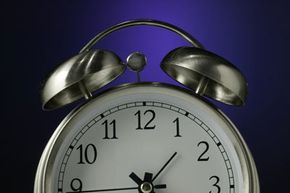
Earlier this year, computer users and IT administrators in the United States and Canada braced for a mess. Some said a mini Y2K bug was going to throw networked applications into a tizzy and make "Lost" fans cry when they realized their DVR missed the show. Others said it was a simple fix for networks as long as companies were prepared, and that there was nothing to panic about. Much like the Y2K bug that was supposed to crash the world, this bug also had to do with time.
In 2005, the U.S. Congress mandated a change in the daylight-saving time schedule that took effect earlier this year. On March 11, we turned our clocks forward three weeks earlier than usual; on November 4, we'll turn them back one week later, the idea being we'll get some energy savings out of the longer period of evening sunlight. In March, many feared that any device that automatically updated its time to spring forward might have a little problem -- the new daylight-saving start date. This included computers, cell phones, smartphones, PDAs, DVRs, "smart home" systems, time-controlled thermostats, high-tech watches and clocks and countless other gadgets.
Advertisement
You might be thinking that since the device updates itself by synching with some omniscient world clock, it'll still get the correct time, adjusted for the correct daylight-saving date. Because, you know, it's omniscient. In reality, that world clock is a whole bunch of "time servers" maintained by various agencies, and they all serve up a single time: Greenwich Mean Time, or "universal time." Once your device gets the Greenwich Mean Time, it calculates the correct time for your location by adding or subtracting hours based on your time zone and any daylight-saving adjustments for which it's been programmed. Any computer that was programmed before 2005 thinks daylight-saving started the first Sunday in April, not on March 11, and ended in October, not November.
When the bug first hit in the spring of 2007, many people thought they would have to change their clocks four times instead of two -- twice in the spring and twice in the fall -- to make up for the automatic, but incorrect, daylight-saving time adjustments. The one-hour shift had, and still has, the potential to affect lots of gadgets around the home. Your DVR might record the wrong shows if it's not connected to a service provider or if that service provider hasn't automatically downloaded a patch to your machine. Your thermostat might drop the temperature at the wrong time. It could turn out to be a hassle, depending on how automated your home is. Or you might not even notice it.
But the real problem with the time change has to do with businesses, their networks and any business-related applications you run on your own home computer -- Microsoft Outlook calendar reminders, for instance. We’ll look at how businesses are dealing with the change to daylight-saving time in the next section.
Advertisement