
Tilting Scroll Wheel
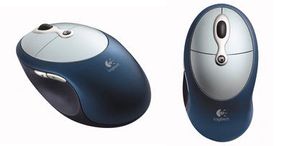
Photo courtesy Logitech
A more recent innovation in mouse scrolling is a tilting scroll wheel that allows you to scroll onscreen both horizontally (left/right) and vertically (up/down). The ability to scroll both ways is handy when you are viewing wide documents like a Web page or spreadsheet.
To navigate both horizontally and vertically, the scroll wheel is positioned on a combination fulcrum and lever. This is the design used by the Logitech Cordless Click! Plus mouse.
Advertisement
Another method for vertical and horizontal scrolling is a touch scroll panel that responds to your finger sliding horizontally and vertically, as employed by the Logitech V500 Cordless Notebook Mouse.
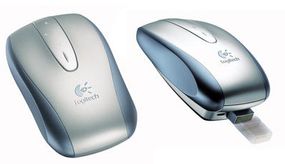
Photo courtesy Logitech
Related Articles
More Great Links
Sources
- Agilent Technologies. http://www.home.agilent.com/USeng/nav/-536893499.0/pc.html
- Gyration. http://www.gyration.com
- Logitech. http://www.logitech.com
- Microsoft Corporation. http://www.microsoft.com/hardware
- Optical Mouse Technology Review, by Richard L. Owens. http://www.ida.net/users/oe1k/OpticalMouse