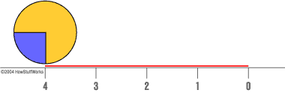
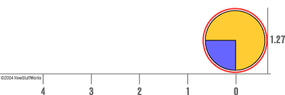
As we've seen, the main problem with GIF animation is that each frame of the "movie" adds considerably to the total file size. One way of getting around this problem is to eliminate individual frames entirely. Instead, you simply tell the computer to take one still image and move it across the screen. In a sense, you do this with your computer all the time, when you move the cursor across the screen with your mouse.
Originally, Web pages were, for the most part, static files -- that is, once you loaded them, they pretty much stayed the same. This is inherent in hypertext markup language (HTML), the basic programming language of Web pages. HTML basically consists of simple tags that tell a Web browser where to display Web page elements.
As the Internet continued to evolve, Web designers found this static quality fairly limiting. They wanted to add dynamic content to their Web sites -- that is, content that could change once the user had already downloaded a particular Web page. Dynamic HTML, or dHTML, is the term for the software technology that makes this possible. DHTML content is actually produced by using a number of complex scripting languages, such as Javascript, to access something called the document object model on your Internet browser. Basically, the document object model (DOM) controls everything about how a browser displays a Web page. These days, almost all users have browsers that will expose the DOM to scripting languages, so that this script can alter HTML elements (to change the text color as you move the mouse over a word, for example).
DHTML was not created with animation in mind, but it will let you alter HTML elements in a way that will add movement to a Web page. A dHTML script can simply tell the browser to keep changing the placement of a particular image on the page, so it travels around the screen. If you do this with several different images, you can move a series of graphic elements around each other to make interesting movies.
Like GIF animation, dHTML animation is automatically recognized by most Web browsers, without the user having to download any extra components. However, it is fairly tricky to create dHTML content that works the same way on all browsers, so this sort of animation is not nearly as simple as GIF animation. Actually coding the animation program yourself is quite difficult, but there are user friendly software applications, such as Macromedia's Dreamweaver, that will produce the correct script code for you.
DHTML is fairly limited in its animation applications, because all it can really do is move still images around on the screen. It's much more fluid than GIF animation, but for many applications, it is a much less effective way of displaying a changing image. DHTML is pretty much the limit of a Web browser's built-in animation ability. To add more complex animation abilities to the Internet, innovators had to come up with programs that supplemented the users' browsers.
Java Applets
Another way to provide Web animation is through the universal, network-oriented programming languages known as Java. With Java, programmers can create applications that users download off the Internet. Java-enabled browsers use a virtual machine, a piece of software that recognizes the Java language and translates it for the user's computer system (Windows, MacOS, Unix). The virtual machine is basically a kind of plug-in, and it must be installed with your browser.
Java Web content is generally created as programs called applets. Applets aren't complete software applications -- they work only in conjunction with a browser. There are all sorts of things Web designers do with applets, and one of the most popular applications is animation. The main advantages of Java are that it works on all operating systems and it is very flexible. You can create an animation program that draws simple vector shapes for the individual frames, or one that uses bitmap images. Java is particularly suited for creating interactive animations and combining animation with other Web page elements. For more information about Java, check out How Computer Programs Work.