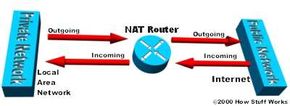
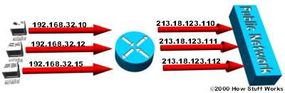
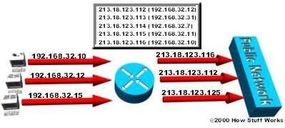
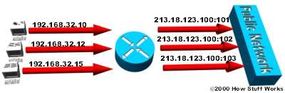
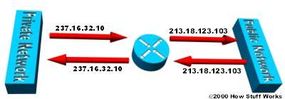
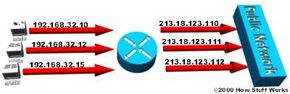
Look below to see how the computers on a stub domain might appear to external networks.
Source Computer A
IP Address: 192.168.32.10
Computer Port: 400
NAT Router IP Address: 215.37.32.203
NAT Router Assigned Port Number: 1
Source Computer B
IP Address: 192.168.32.13
Computer Port: 50
NAT Router IP Address: 215.37.32.203
NAT Router Assigned Port Number: 2
Source Computer C
IP Address: 192.168.32.15
Computer Port: 3750
NAT Router IP Address: 215.37.32.203
NAT Router Assigned Port Number: 3
Source Computer D
IP Address: 192.168.32.18
Computer Port: 206
NAT Router IP Address: 215.37.32.203
NAT Router Assigned Port Number: 4
As you can see, the NAT router stores the IP address and port number of each computer. It then replaces the IP address with its own registered IP address and the port number corresponding to the location, in the table, of the entry for that packet's source computer. So any external network sees the NAT router's IP address and the port number assigned by the router as the source-computer information on each packet.
You can still have some computers on the stub domain that use dedicated IP addresses. You can create an access list of IP addresses that tells the router which computers on the network require NAT. All other IP addresses will pass through untranslated.
The number of simultaneous translations that a router will support are determined mainly by the amount of DRAM (Dynamic Random Access Memory) it has. But since a typical entry in the address-translation table only takes about 160 bytes, a router with 4 MB of DRAM could theoretically process 26,214 simultaneous translations, which is more than enough for most applications.