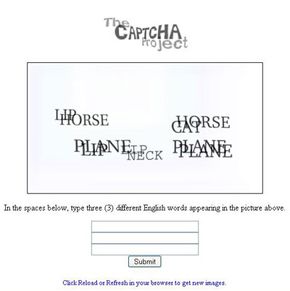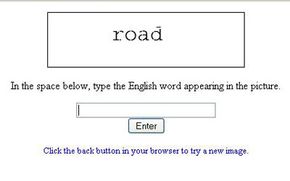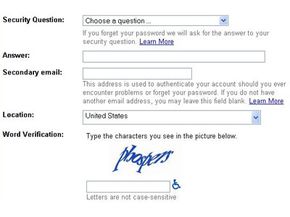
You're using your computer to purchase tickets to see a concert at a local venue. Before you can buy the tickets, you first have to pass a test. This sort of test is a CAPTCHA. The term CAPTCHA is an acronym that stands for Completely Automated Public Turing Test to Tell Computers and Humans Apart.
It's not a hard test -- in fact, that's the point. For human users, the test should be simple and straightforward. But for a computer, the test should be almost impossible to solve. The goal of CAPTCHAs is to identify malicious bots. Human users should be able to pass with no problems.
Advertisement
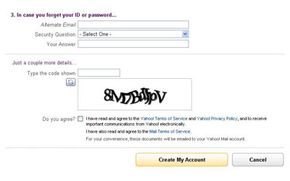
CAPTCHA tests are also known as a type of Human Interaction Proof (HIP). You've probably seen these tests on lots of websites. The most common form of CAPTCHA is an image of several distorted letters. It's your job to type the correct series of letters into a form. If your letters match the ones in the distorted image, you pass the test!
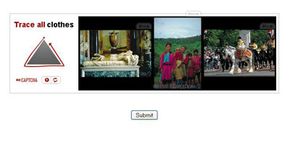
Another common type is image CAPTCHAs. An image CAPTCHA test involves a series of photos of common scenes. This may include highways, city streets, or parks. The user will be asked to select only the photos that contain certain objects, such as street lights, fire hydrants and bicycles. After selecting the right photos, you'll pass the test.
Image recognition captchas are typically harder for bots to decipher than text based captchas. Distorted or blurry images are even better as they can easily frustrate the bot's recognition techniques. Carefully crafting CAPTCHAs that only humans can solve is key.
Why would anyone need to create a test that can tell humans and computers apart? It's because of people trying to game the system -- they want to exploit weaknesses in the computers running the site. While these individuals probably make up a minority of all the people on the internet, their actions can affect millions of users and websites.
For example, a free e-mail service might find itself bombarded by account requests from an automated program. That automated program could be part of a larger attempt to send out spam mail to millions of people. The CAPTCHA test helps identify which users are real human beings and which ones are computer programs.
One interesting thing about CAPTCHA tests is that the people who design the tests aren't always upset when their tests fail. That's because for a CAPTCHA test to fail, someone has to find a way to teach a computer how to solve the test. In other words, every CAPTCHA failure is really an advance in artificial intelligence.
Let's take a closer look at exactly what a CAPTCHA is in the next section.
Advertisement