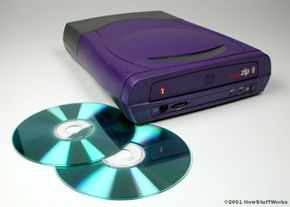
Once the mix is complete and you have saved it, all you need to do is insert a blank CD-R disc into the burner and choose the "burn" or "write" option in your music-management software. Be sure to select "music CD" rather than "data CD," or you won't be able to play the disc on ordinary CD players. You'll also need to choose the speed at which you want to burn the disc. Typically, a slower speed reduces the chance of a major error during the writing process.
A lot of things can go wrong when you're burning a CD, so don't be surprised if some of them don't come out right. Since CD-Rs can not be overwritten, any irreversible mistake means you'll have to junk the whole disc. Among the CD-burning set, this is called "making a coaster," as that's pretty much all you can do with the damaged CD.
If you continually have problems burning CDs, your drive may be defective or your music-management program may be faulty. Before you return your burner, try out some other programs and see if they yield better results.
To make a CD-ROM, you'll go through a similar process -- but you'll code the disc as a data CD, not a music CD. Some newer CD players and DVD players can read untranslated MP3 data files, and you may be able to make CD-ROM music mixes this way. Since MP3s are compressed files, you can fit a lot more of them on a single disc, which means you can make a longer mix. The drawback, of course, is that your disc won't work in the vast majority of CD players.
CD burners have opened up a whole new world to the average computer user. You can record music that will run in most anybody's CD player, or you can put together CD-ROMs containing photos, Web pages or movies. With a piece of equipment about the size of a car stereo, and about the price of a cheap bicycle, you can set up your own multimedia production company!
For more information on CD burners and related topics, check out the links on the next page.