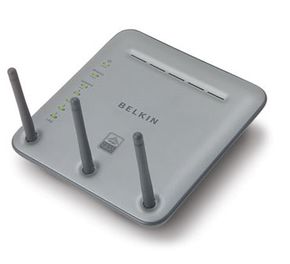
Once, home networks were primarily the realm of technophiles -- most families either didn't need or couldn't afford more than one computer. But now, in addition to using computers for e-mail, people use them for schoolwork, shopping, instant messaging, downloading music and videos, and playing games. For many families, one computer is no longer enough to go around. In a household with multiple computers, a home network often becomes a necessity rather than a technical toy.
A home network is simply a method of allowing computers to communicate with one another. If you have two or more computers in your home, a network can let them share:
Advertisement
- Files and documents
- An Internet connection
- Printers, print servers and scanners
- Stereos, TVs and game systems
- CD burners
The different network types use different hardware, but they all have the same essential components:
- More than one computer
- Hardware (such as a router) and software (either built in to the operating system or as a separate application) to coordinate the exchange of information
- A path for the information to follow from one computer to another
If you're thinking of networking the computers in your home, you have several options to explore. In this article, you'll learn about the different types of home computer networks, how they work and what to keep in mind if you're considering creating one. We'll look at the hardware that creates and protects home networks in the next section.
Advertisement