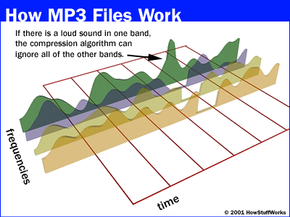
The MP3 compression format creates files that don't sound exactly like the original recording -- it's a lossy format. In order to decrease the size of the file significantly, MP3 encoders have to lose audio information. Lossless compression formats don't sacrifice any audio information. But that also means that lossless compression files are larger than their lossy counterparts.
You can choose how much information an MP3 file will retain or lose during the encoding and compression process. It's possible to create two different MP3 files with different sound quality and file sizes from the same source of data. The key is the bit rate -- the number of bits per second encoded in the MP3 file.
Most MP3 encoding software allows the user to select the bit rate when converting files into the MP3 format. The lower the bit rate, the more information the encoder will discard when compressing the file. Bit rates range from 96 to 320 kilobits per second (Kbps). Using a bit rate of 128 Kbps usually results in a sound quality equivalent to what you'd hear on the radio. Many music sites and blogs urge people to use a bit rate of 160 Kbps or higher if they want the MP3 file to have the same sound quality as a CD.
Some audiophiles -- people who seek out the best ways to experience music -- look down on the MP3 format. They argue that even at the highest bit rate settings, MP3 files are inferior to CDs and vinyl records. But other people argue that it's impossible for the human ear to detect the difference between an uncompressed CD file and an MP3 encoded with a 320 Kbps bit rate.
There's no denying that, quality issues aside, the MP3 format is changing music. With music services like Amazon and eMusic, customers can buy music by the song. In a way, the music industry is returning to its roots -- the music single is becoming popular after nearly dying out during the CD era.
In addition, some musicians and audio engineers say that the MP3 format is changing the way music studios mix recordings. They say that the MP3 format "flattens" out the dynamics -- the differences in pitch and volume -- in a song. As a result, much of the new music coming out of the industry has a similar sound, and there's not as much of a focus on creating a dynamic listening experience. Why work that hard on creating a complex sound if no one can detect it [source: Levine]?
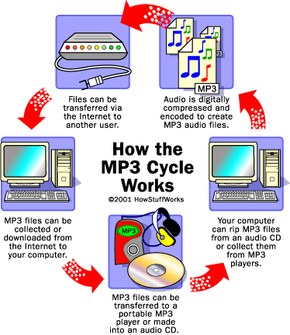
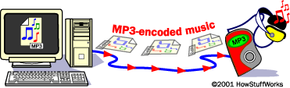
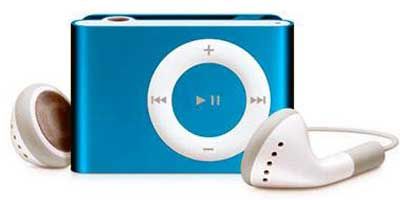
From this description, you can see that MP3 is nothing magical. It's simply a file format that compresses a song into a smaller size so it is easier to move around and store on your home computer -- or your portable music player.